
Trap Culture App Workflow
When someone joins Trap Fam or creates an account in the Trap Culture app, a lot happens behind the scenes to keep their info safe, synced, and only used the way they actually agreed to. This page breaks down that workflow in plain language so you can see exactly how the system fits together.
What happens after someone hits submit
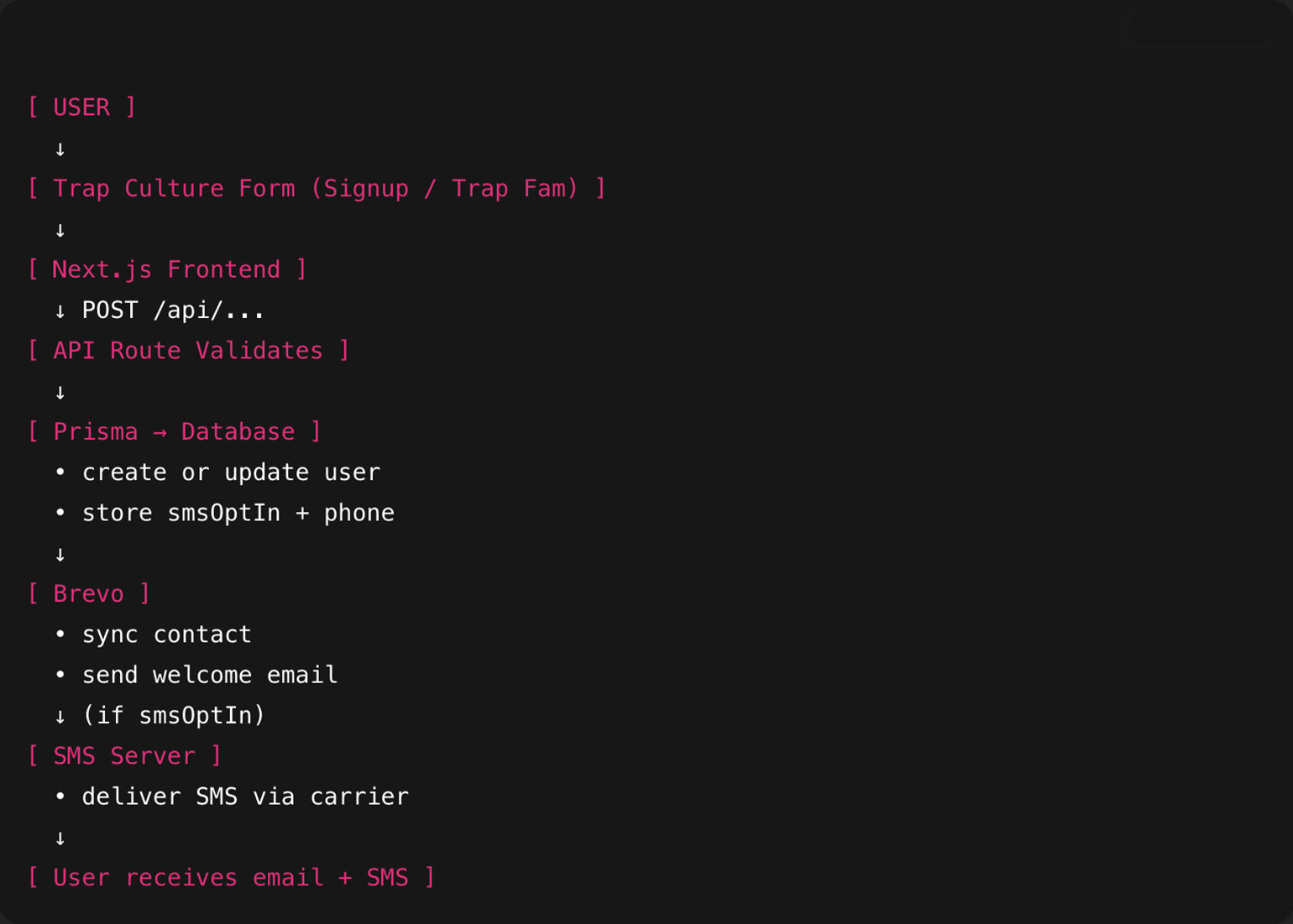
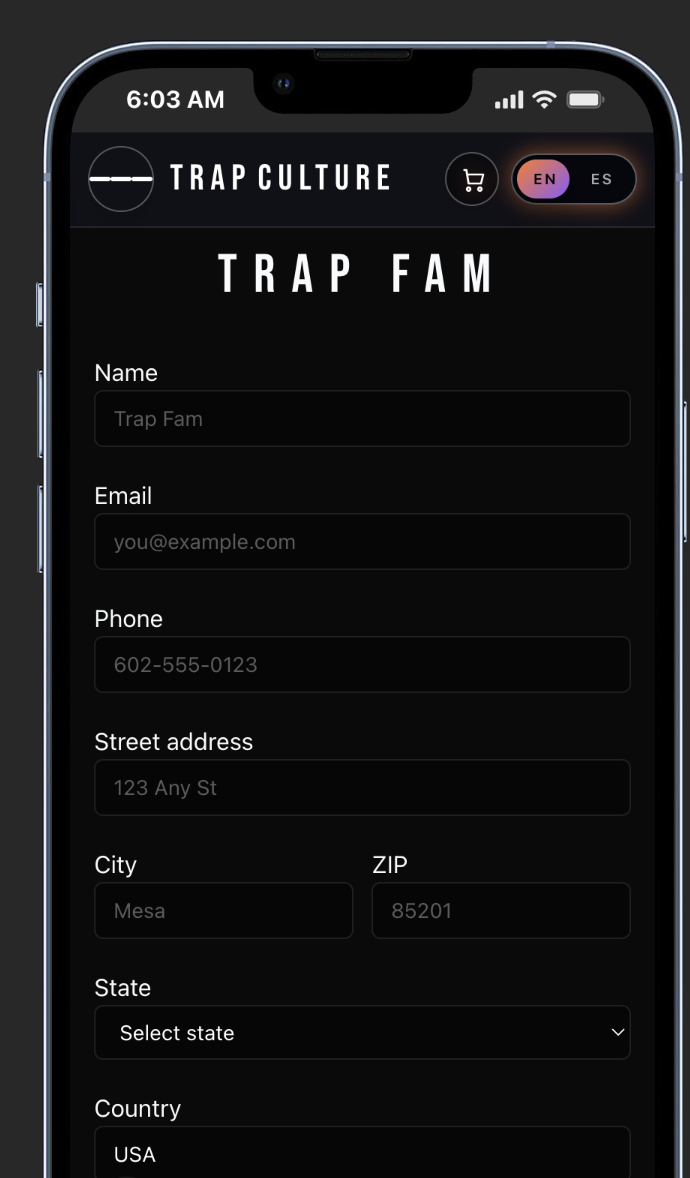
When a user fills out the Trap Culture signup or Trap Fam form, the info they enter is sent from the app’s frontend to a secure API route. That route validates the data and only accepts what it is supposed to accept, such as name, email, city, and optional phone number. If the data passes validation, the API sends it to Prisma, which handles all reads and writes to the database.
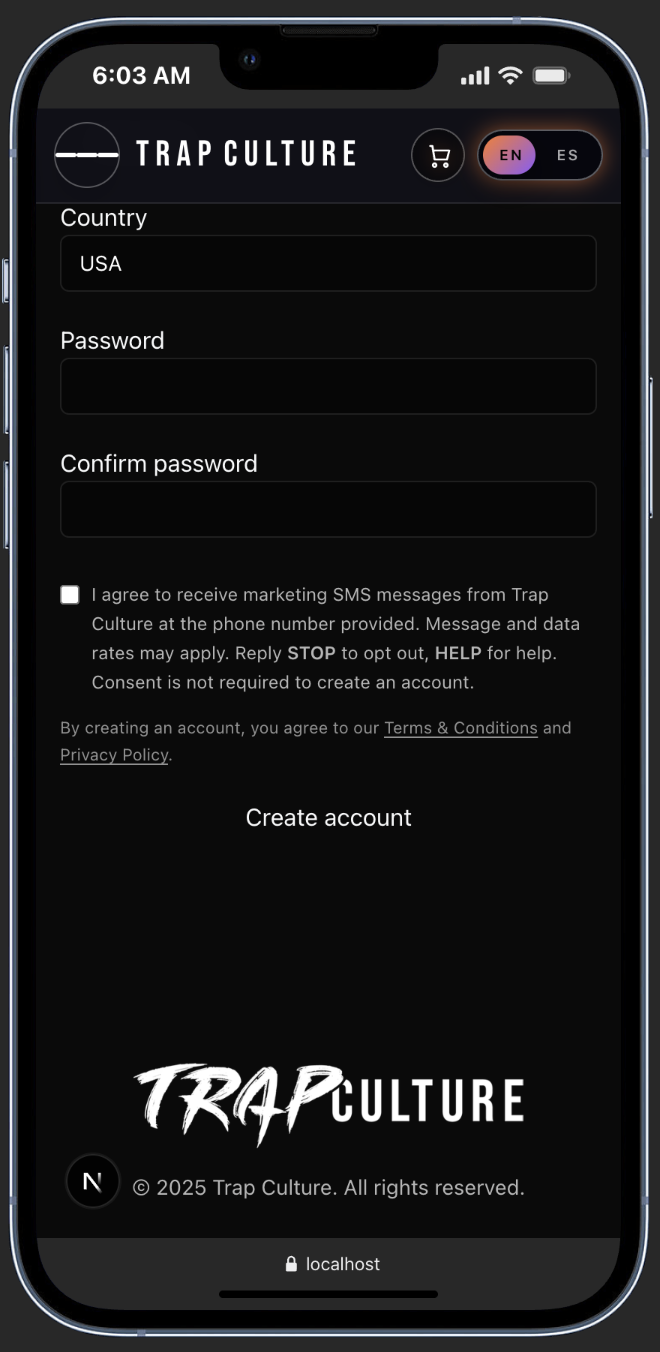
Prisma either creates a new record or updates an existing one for that email. This is where things like SMS consent and the user’s phone number are stored together so there is a single source of truth about whether that person actually opted in. If they agreed to receive marketing texts and provided a valid phone number, the database records that consent along with the timestamp and origin of the opt in.
Once the user is saved, the system syncs with Brevo. The contact is updated or created in Brevo with the same email and any available profile details. Brevo then sends the welcome email that confirms the signup came through and gives the user a clear path to unsubscribe from future emails if they change their mind later.
If the person opted in for SMS, the SMS server uses the stored phone number and consent flag to send text messages through the carrier. Those messages are limited to campaign updates, drops, and other Trap Culture communications, and every message includes instructions to reply STOP to opt out or HELP for help. The SMS pipeline uses the database record as the gatekeeper, so there is a hard separation between people who consented and people who did not.
In the end, the user receives an email and, when they have opted in, SMS messages that are tied to a clear consent trail. The app, the database, Brevo, and the SMS server all stay in sync so the user can control how Trap Culture reaches them at any time.
Why this workflow matters
This workflow is built to keep user data consistent, to protect consent, and to prevent any “ghost” contacts from slipping into marketing lists without a real opt in. Every service in the chain reads from the same record, which makes it easier to respect unsubscribe requests, keep profiles current, and avoid sending messages to people who did not ask for them.
Trap Culture’s goal is to keep the vibe high and the spam low. The app workflow is set up to support that goal by making privacy, consent, and clean data part of the system design instead of an afterthought.